Transform from Revit User to Revit Developer
Build real tools, with real code. Advance your career and become indispensable, even if you've never written code.

Are you ready to master C# and the Revit API to be able to. . .
⌚Save hours of manual work by creating custom Revit tools that streamline your daily tasks.
⭐Gain a deep understanding of the Revit API and C# programming, boosting your professional skills.
⌛Develop a suite full of custom Revit add-ins that enhance your productivity and project accuracy.
🎇Showcase your ability to innovate and solve complex problems with unique, self-made Revit tools.
🔨Implement your own Revit toolbar filled with tools you developed, tailored to your specific needs.
🤖 Leverage AI to build tools in hours instead of weeks, with you guiding the process.
Introducing. . .
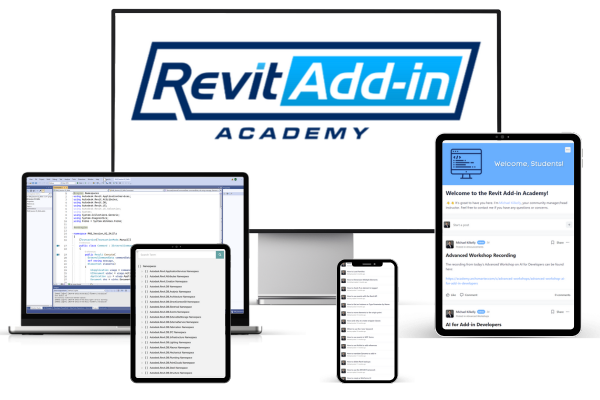
The Proven Path from Coding Novice to Revit Add-in Pro—With a Full Year of Support
How the Revit Add-in Academy Gets our Students Results

In-Depth Learning
Gain a thorough understanding of C# programming and the Revit API through structured modules that build on each other, ensuring you master foundational and advanced skills. Then we accelerate it with AI.

Hands-On Practice
Apply your newly acquired skills in real-world scenarios with each module's Challenge. Create practical Revit tools and solidify your learning through these hands-on projects.

Live Support
With weekly coaching calls and direct messaging, you get immediate support as you're going through the course. No more spinning your wheels for days on a problem. You get unstuck fast!

Flexible Schedule
Access pre-recorded video lessons at your convenience and attend live online sessions for real-time interaction, with all content available for replay if you miss any live class.

Time-Saving Tools
Accelerate your productivity with Launchpad, our custom development environment that makes building Revit add-ins faster and easier. Plus access to Revit add-in templates, the ArchSmarter Utils Library, and my custom GPT.

Active Community
Learn from your peers and see what they create. Share your progress and inspire others. Collaborate on a project to enhance your learning experience.
Don't take our word for it. Here are the extraordinary results our students get with the Revit Add-in Academy
What's Inside the Revit Add-in Academy
Enroll any time and start immediately. Work through the pre-recorded lessons and hands-on challenges at whatever pace fits your workload.
Start with the Bootcamp if you're new to coding, or dive into the Intermediate track if you're ready to level up.
Join the weekly coaching calls to get your questions answered directly. Or message me directly and get unstuck fast!
You also get access to all my tools, templates, and community for a full year.

Learn Your Way
New to coding or already comfortable? There's something for you. Full curriculum includes:
- Bootcamp (C# and Revit API fundamentals)
- Intermediate (professional patterns and techniques)
- UI with WPF
- Advanced Workshops and more!

Live Support
Never get stuck or code alone again. Bring your questions to the live sessions.
- Weekly coaching calls with hot seats and real-time feedback.
- Quarterly Advanced Workshops to keep your skills sharp.
All sessions are recorded, so you can catch up anytime.

Custom Tools
Custom tools and templates that make coding efficient and enjoyable.
- Launchpad Command ($497 value included free)
- Custom Revit Add-in template
- Access to the ArchSmarter Utils code library
- Custom GPT

AI Coding
Code 10x faster with AI as your intelligent assistant. We provide:
- Custom Academy GPT as well as training files
- Workshop on effectively using ChatGPT & Claude
- Tested AI prompts and workflows

Community Access
Your career-long network starts here with one year of community access.
- Get help any time you're stuck
- Meet weekly in our live Office Hours
- Learn, connect, and share ideas with other Revit developers

Resource Library
Everything you need, whenever you need it.
- All course and live session recordings
- Code templates and snippets
- Deployment guides
- How-To tutorials
- Future updates included
Enrollment and Pricing
* Payment Plans and Purchasing Power Parity (PPP) discounts are available
30-DAY MONEY-BACK GUARANTEE
If the Revit Add-in Academy isn't working for you in your first 30 days, you can ask for a full refund, no questions asked. If I can't teach you to create your own Revit add-ins, then I don't deserve your money.
Frequently Asked Questions
When does the Academy start and how long does it last?
I'm in a different time zone. Can I still take part even if I can't make every session?
Do I need any prior programming experience to take the course? I've haven't written any code before. Is this course appropriate for me?
There are a lot of C# and Revit API tutorials available online. Why should I pay for a class when I can learn by myself for free?
Do you support Purchasing Power Parity discounts?
Course Instructor
I'm Michael Kilkelly
I founded ArchSmarter in 2014 to help AEC professionals become more productive and get the best results from their BIM software. I'm an architect, not a computer scientist so I speak your language!
I am a native New Englander and live in Middletown, CT. In addition to running Archsmarter, I work for Ulteig as a Senior BIM Developer. Previously, I was an Associate at Gehry Partners in Los Angeles. I received my B.Arch from Norwich University and an SMArchS from MIT. Click here to contact me.