

I own a lot of books. One of the biggest problems with owning too many books is that finding the one you want can be difficult.
Most of my work-related books live on two IKEA Kallax bookshelves in my office, a 5x5 and a 4x4, with several books tucked into each grid square. I can usually remember that I own a book, but not which shelf or grid square it’s in. Every so often I’ll look for something and find another book I’d forgotten about entirely. I’ve even bought a book just to realize I already owned it. Sheesh.
I’ve thought about making a catalog before. In the old days before AI, that would have meant opening a spreadsheet, pulling books off the shelves, and typing titles and authors one at a time. Even then, a spreadsheet would only tell me what I owned, not where it was.
The version I really wanted was more interactive. I wanted a database I could search, maybe even a website where I could browse my shelves and click through to individual books. It was a cool idea, but it sat on my “someday, maybe” list for years.
Last weekend, I had a flash of inspiration. What if I could use AI to help me get a handle on my books? So I took pictures of the books and shelves and asked Claude for help. A few hours later, I had a working catalog of 587 books.
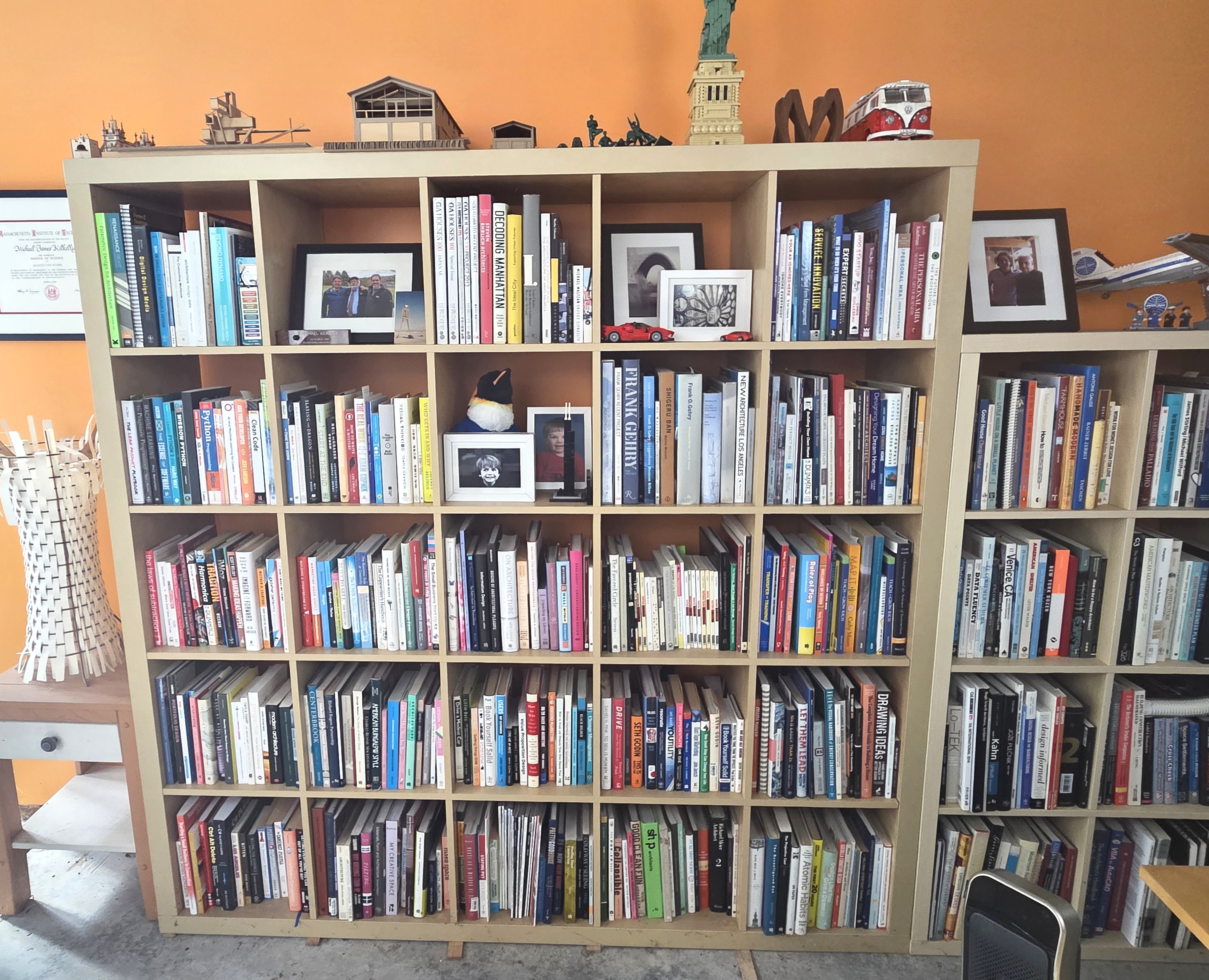
If you work in AEC, this might sound familiar. You start with photos of real things, pull structured data out of them, and put an app on top. That’s the same pattern for a lot of fieldwork, from site visits to existing conditions surveys. But let’s start with books.
Getting the books into a list
I photographed each of the 41 grid squares separately. That gave Claude a manageable image to work from and kept every group of books tied to its location.
I uploaded the photos and asked Claude to identify the titles and authors.
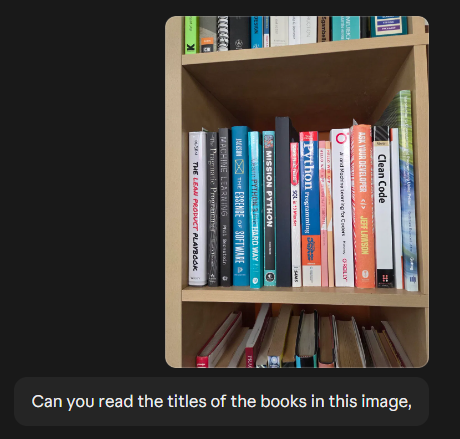
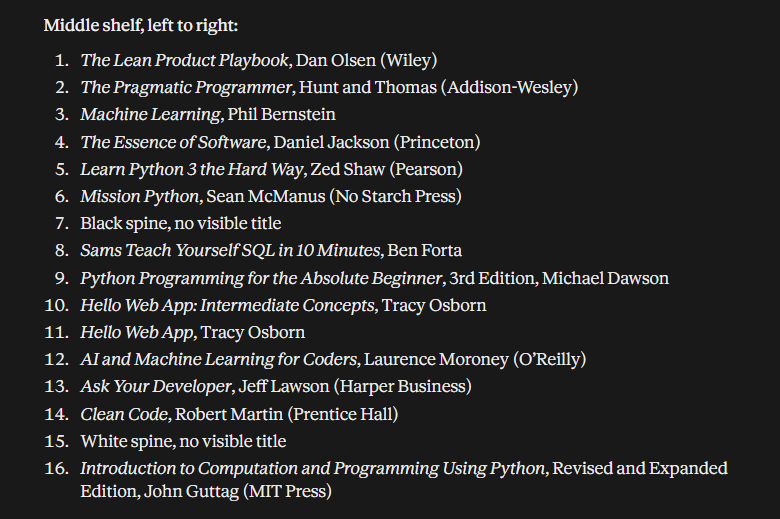
Claude read the book spines really well. I also gave Claude the shelf and grid square for each photo, so every book had a location and a title. Claude also looked up the books on Open Library (openlibrary.org) to get the ISBNs and to fill in the details. Of 587 books identified, 74 needed review or confirmation, about one in eight. For those 74, Claude had a title and author from the photo but couldn’t find a matching record on Open Library. Checking 74 flagged entries is much easier than typing 587 by hand.
Turning the list into an app
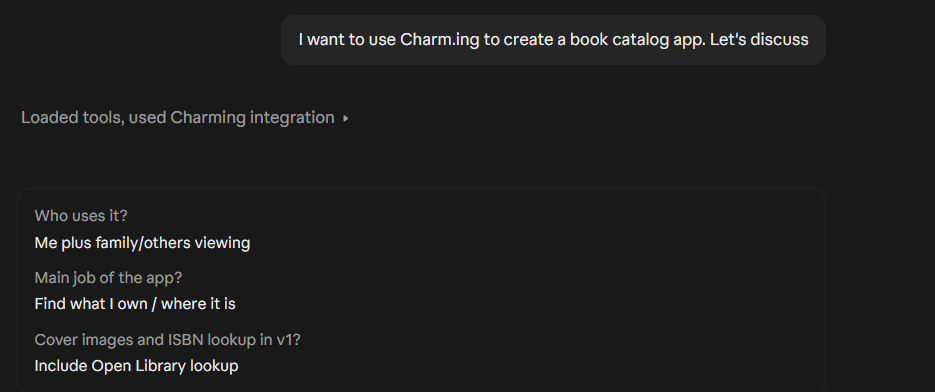
Now that I had a list of all the books, I wanted to put the data into an easy-to-use catalog. Fortunately, I just heard about a new service called Charming. Charming is a web app service that hosts small apps. It connects to Claude as an MCP server. This lets Claude build and publish the app directly from the conversation. I didn’t write a single line of code, upload any files, or set up a server. I described what I wanted, Claude did its thing, and the app showed up as a link I could open in my browser.
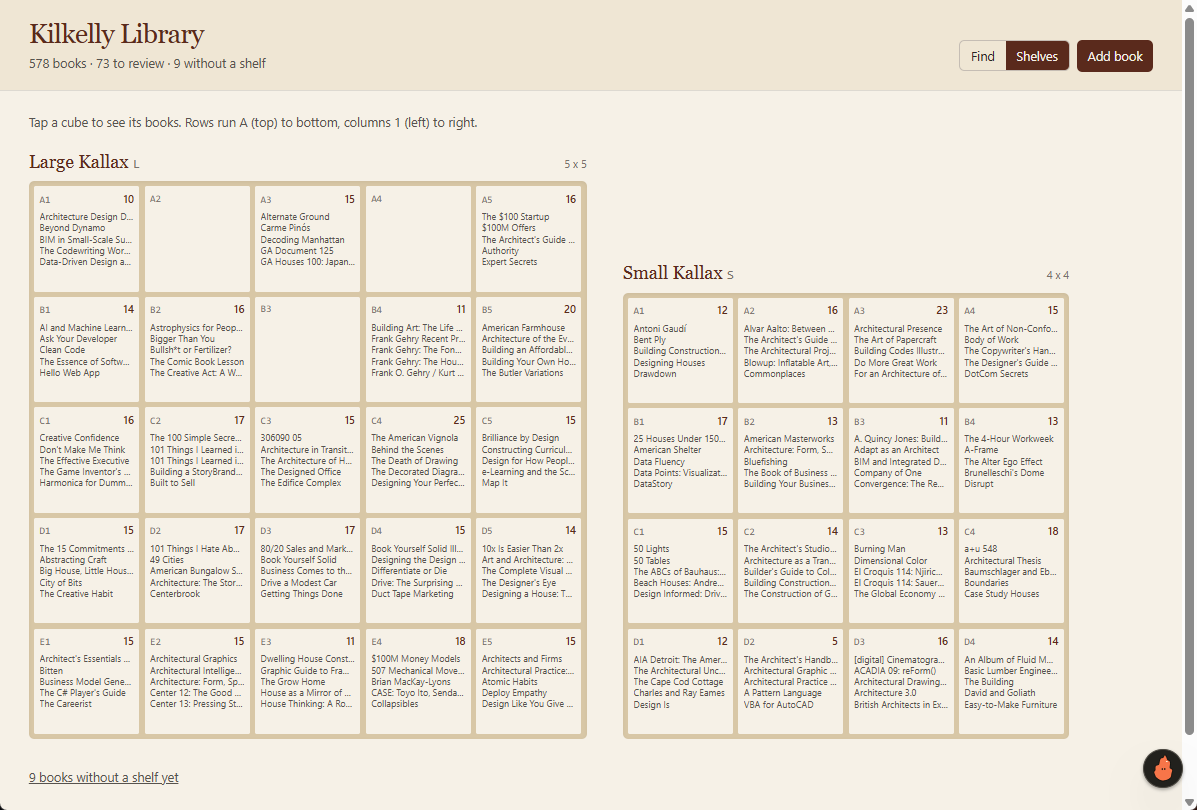
The finished app lets me browse the whole collection, filter by bookshelf, and select a grid square to see what’s in it. I can open an individual book’s entry to see its details, including the ISBN where Open Library had a match.
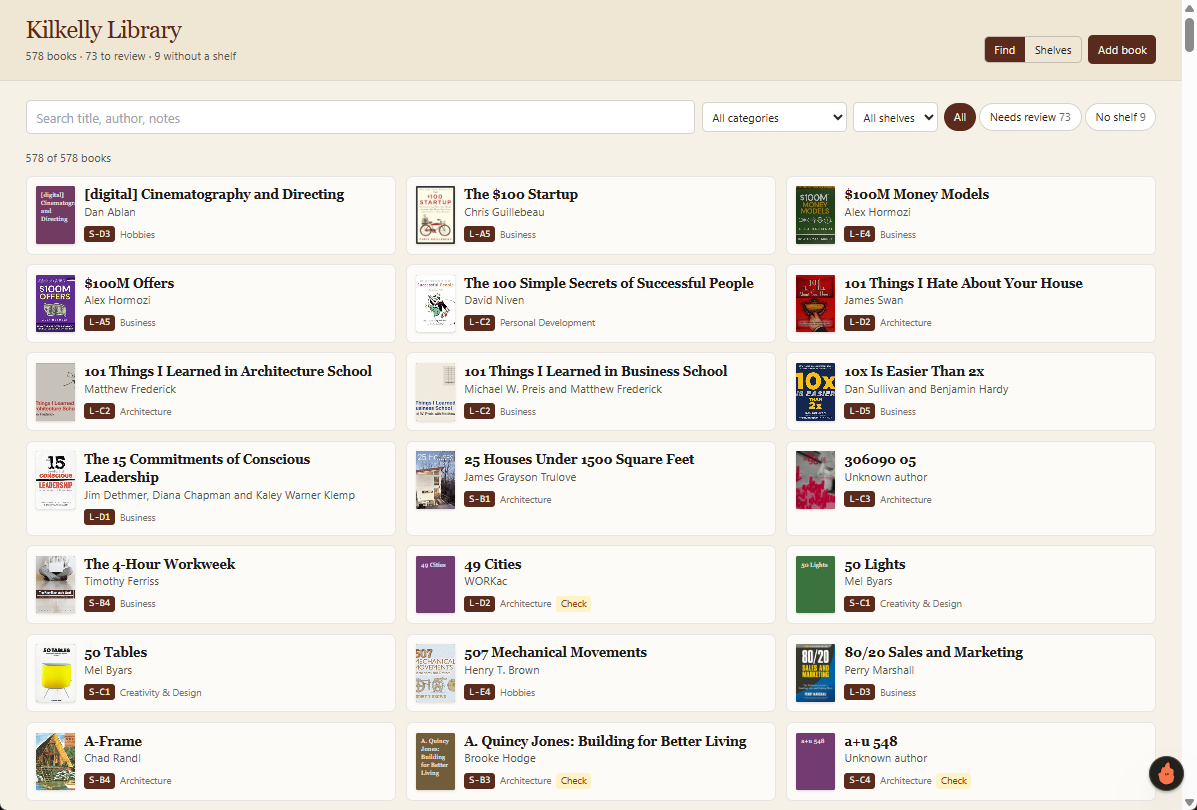
The shelf filter turned out to be the feature that made the app useful. It answers the question I always have: where is that book? I can click a grid square and see all the books in it. Look! There’s the BIM and Small-scale Sustainable Design book I’ve been looking for! The catalog wasn’t just an inventory. It gave me another way to explore my own collection.
The iteration was the fun part. I’d use the app, notice what was awkward or could be better, and ask Claude to change it.
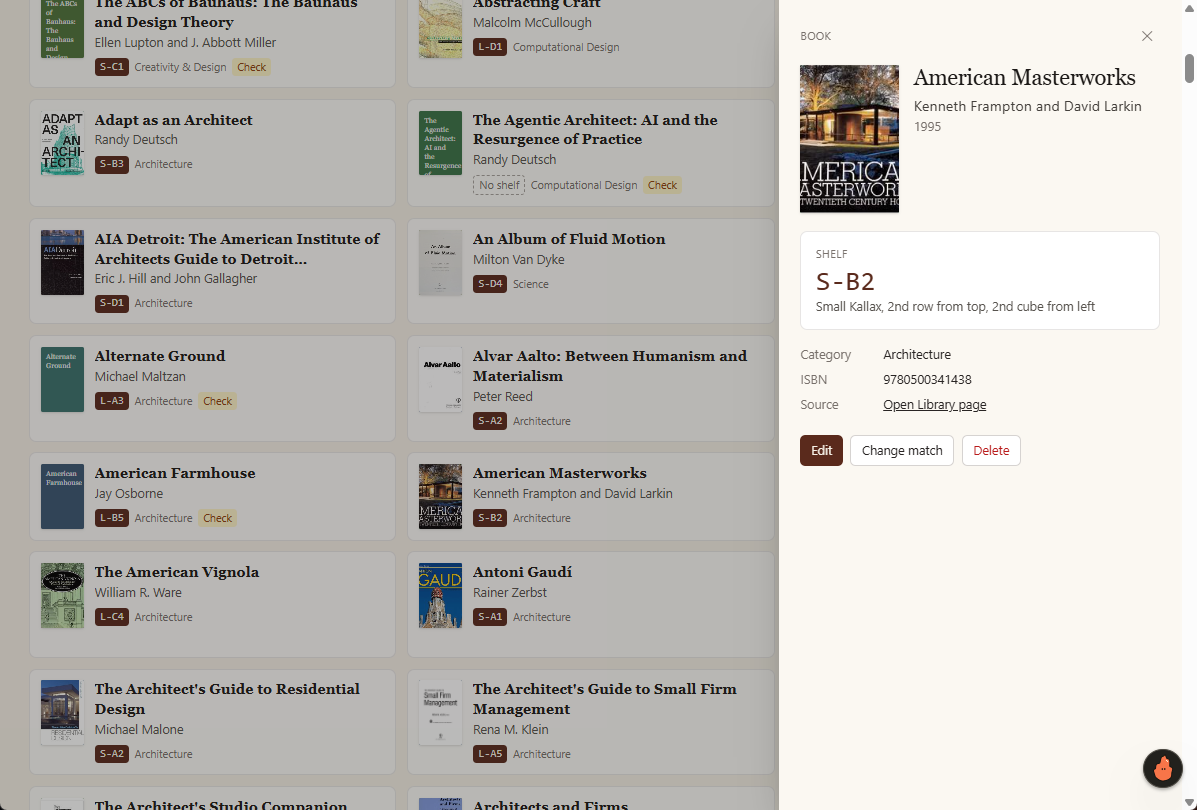
Working with the catalog app in realtime made the missing functionality obvious in a way that planning the whole app wouldn’t have. I didn’t need to decide every feature before I started. I just started and added features as I tested the app.
Why I finally did it
The tools to build websites and databases have been around for years. The problem was how much work this particular idea justified. Photographing 41 grid squares, having Claude take the first pass at 587 titles, and using Charming to build the app turned a project I’d never start into a Saturday morning task.
These are my personal bookshelves, and I’m probably the only person who’ll use the app. If Claude misreads a title or an ISBN lookup points to the wrong edition, I can fix it.
I’d be a lot more careful with a tool other people depended on. Who keeps the data current? Who can access it? Who fixes it when something breaks? For finding a book on my own shelf, I can live with a few rough edges.
My next question was whether the same approach could help with an architectural task. I tried a quick site observation app that organizes photos and comments from a visit into a PDF. That experiment raises different questions, because project information and other people’s work are involved. I’ll cover that app in the next post.
For now, I’m happy that I can find the book I’m looking for in minutes instead of never.
Get the Thursday Top 5
My weekly email with five interesting and useful links on BIM, design, and technology, plus a few laughs along the way. I send it every Thursday. Join the over 8,000 AEC professionals who already get it.
