
Which CAD or BIM software should you use? Well, that depends. What functionality to you need? What are your priorities with regard to cost, comparability, interoperability? Are you using a Mac or a PC?
Determining which software to use can be a tricky process. There are a lot of choices our there and the marketing material doesn't always help you understand your full options. Not to mention, software is an expensive tool that is essential to your work. You need the right tool for the work you do but you also don't want to spend money on features you're not going to use.
I put together the following flowchart to help you select the best software based on several criteria. The criteria listed are based solely on my opinion either using the software or through my own research. I've included a list of all the applications and their websites below. If I missed any programs, please let me know and I'll update the flowchart accordingly.
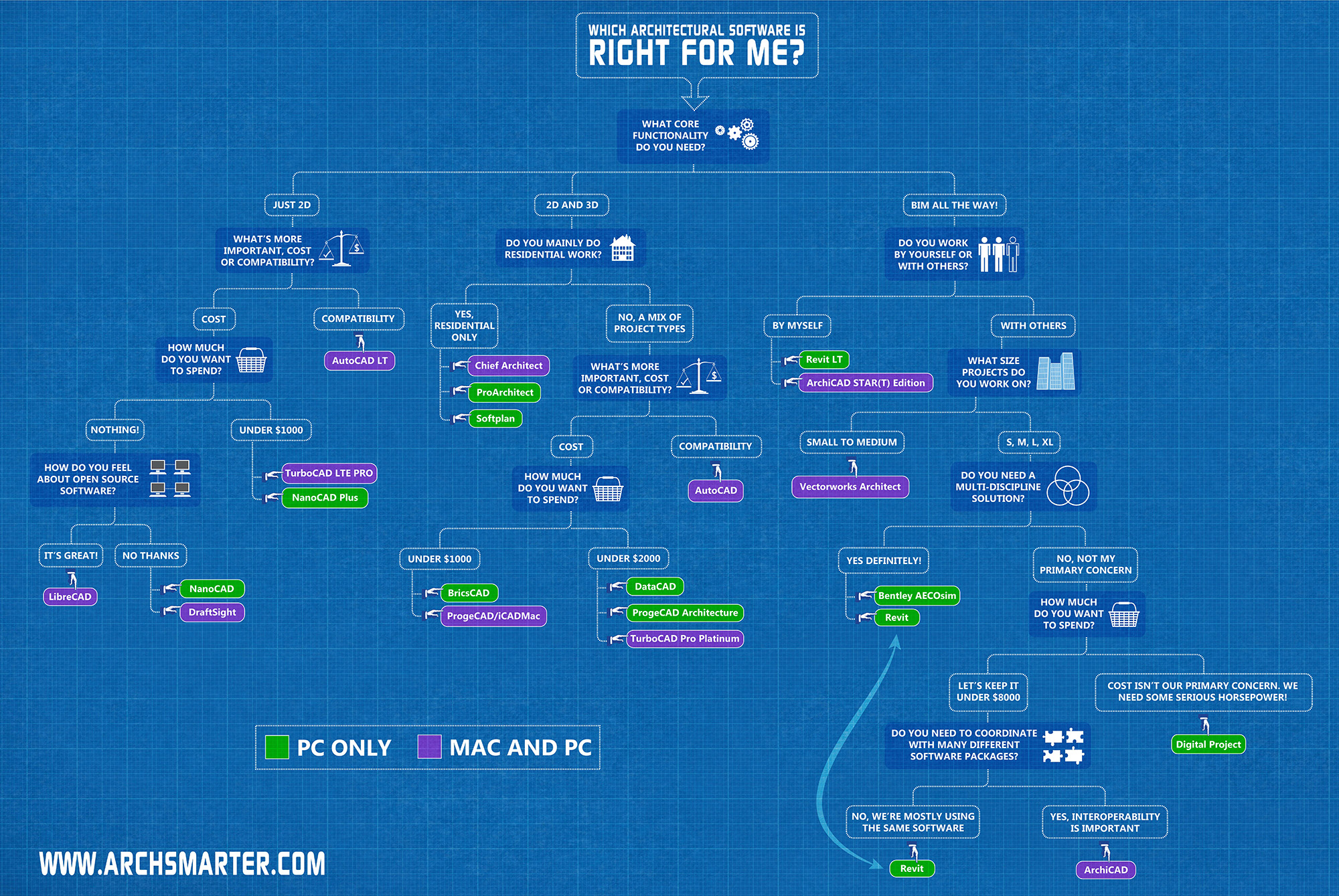
Flowchart showing which CAD / BIM software is right for you
The table below lists all the software included in the flowchart:
2D
AutoCAD LT
DraftSight
LibreCAD
NanoCAD
TurboCAD LTE
2D/3D
AutoCAD
BricsCAD
iCADMac
Chief Architect
DataCAD
ProArchitect
ProgeCAD
ProgeCAD Architecture
Softplan
TurboCAD Pro Platinum
BIM
ArchiCAD
ArchiCAD STAR(T)
Bentley AECOsim
Digital Project
Revit
Revit LT
Vectorworks Architect
Get the Thursday Top 5
My weekly email with five interesting and useful links on BIM, design, and technology, plus a few laughs along the way. I send it every Thursday. Join the over 8,000 AEC professionals who already get it.
