
Over the holidays, I took my kids to an arcade. While they ran off to the racing games and claw machines, I found myself drawn to the classics—Space Invaders, Galaga, the games I grew up on.
There’s something about those old games. Simple mechanics. Satisfying feedback. No tutorials, no cutscenes—just play.
Standing there, pumping quarters into a machine from 1981, a thought popped into my head: What if I built something like this… inside Revit?
This is the kind of idea you normally laugh off, right? It’s fun to imagine, but impossible to justify. A video game inside Revit? I’m not about to spend a couple of weeks working on that.
Except this time, I didn’t brush it off.
The Idea
On the drive home, the idea kept evolving. Space Invaders, but with a BIM twist. What if the enemies weren’t aliens—they were the things that haunt every BIM manager?
-
Rogue users who ignore standards
-
In-place families that refuse to die
-
Exploded CAD imports scattered across your model
-
Corrupt files that appear the night before a deadline
I could see it. A little rocket ship at the bottom of the screen. Waves of BIM nightmares are descending on you. Pew pew pew.
I decided to call it BIM Defender.
Why I’d Normally Never Build This
Here’s the thing: I know how to build Revit add-ins. I’ve been doing it for years. I teach a whole course on it. But a game? That’s totally different. You need:
-
A game loop (60 frames per second)
-
Collision detection
-
Keyboard input handling
-
Animations and visual effects
-
Sound effects
-
A high score system
In Windows Presentation Framework (WPF). Inside Revit.
A year ago, I would have estimated this at 40+ hours. Probably more. That’s a week of work for something that makes people chuckle and then close.
Definitely not worth it.
Enter AI
But this time, I had a secret weapon: AI.
Over the past two years, I’ve been experimenting with what’s called “vibe coding”. Vibe coding is using AI to help me build tools faster. Not replacing the thinking, but removing the friction. You describe what you want, iterate on the output, and build things that would’ve been too time-consuming to justify before.
So I decided to try it. Just start and see what happens.
Two Hours Later
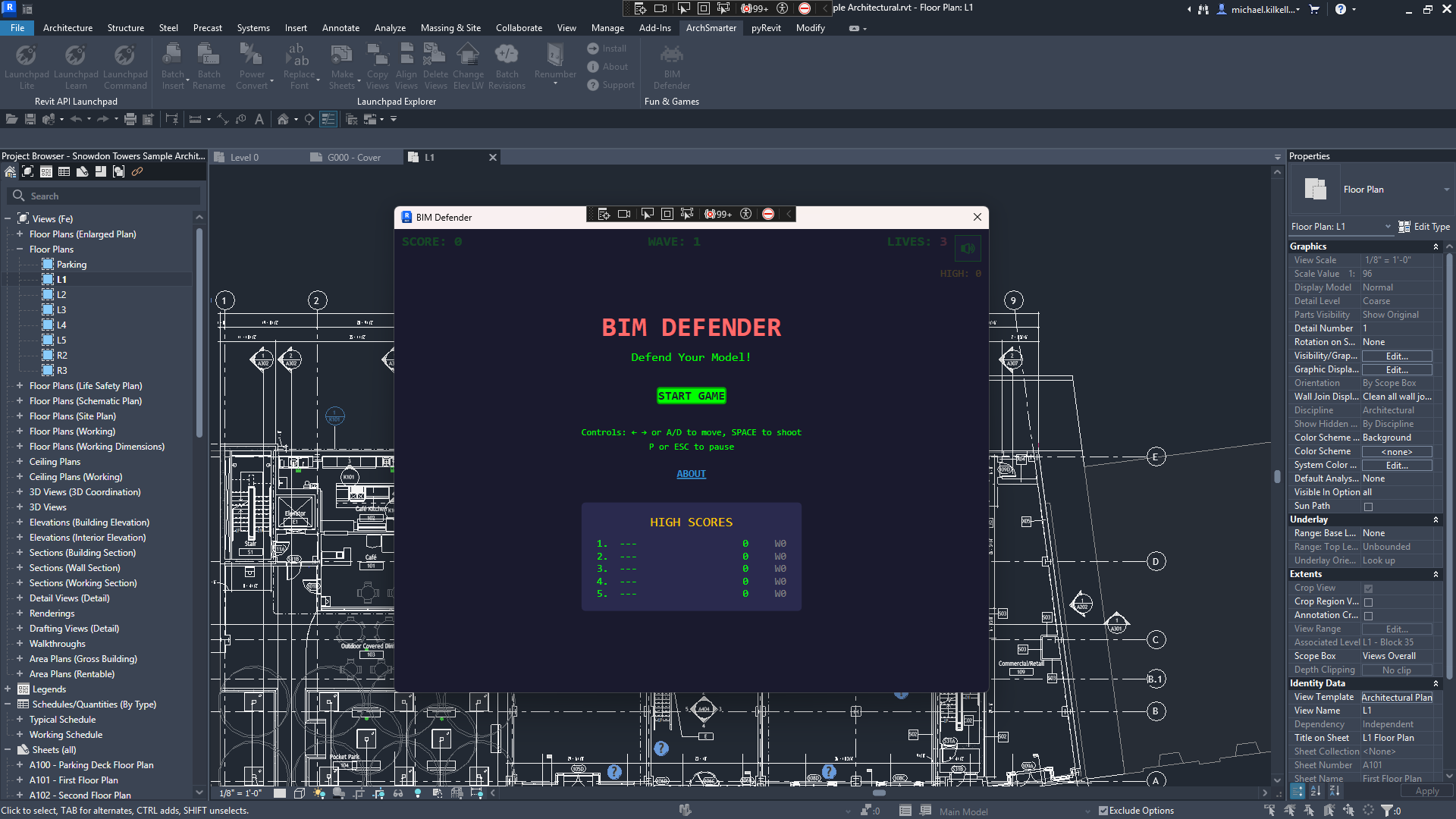
Two hours. That’s how long it took to go from “what if…” to a fully playable game running inside Revit.
Let me break down what got built in that time:
Enemies:
-
👾 Rogue User (10 pts) — Standard enemy, ignores your standards
-
👻 In-Place Family (25 pts) — Faster, haunts your model
-
💀 Exploded Import (50 pts) — Shoots back at you
-
🦠 Corrupt File (Boss) — Appears every 5 waves, multi-shot attacks
Power-ups:
-
🔵 Purge All — Clears every enemy on screen (with a satisfying flash)
-
🟢 Admin Mode — Rapid fire for 10 seconds
-
🟣 Backup Save — Absorbs one hit
Features:
-
The screen shakes when you get hit.
-
Red damage flash
-
High score leaderboard with classic 3-letter initials
-
Sound effects (toggleable for office play)
-
Boss health bar
-
Custom graphics for each enemy type
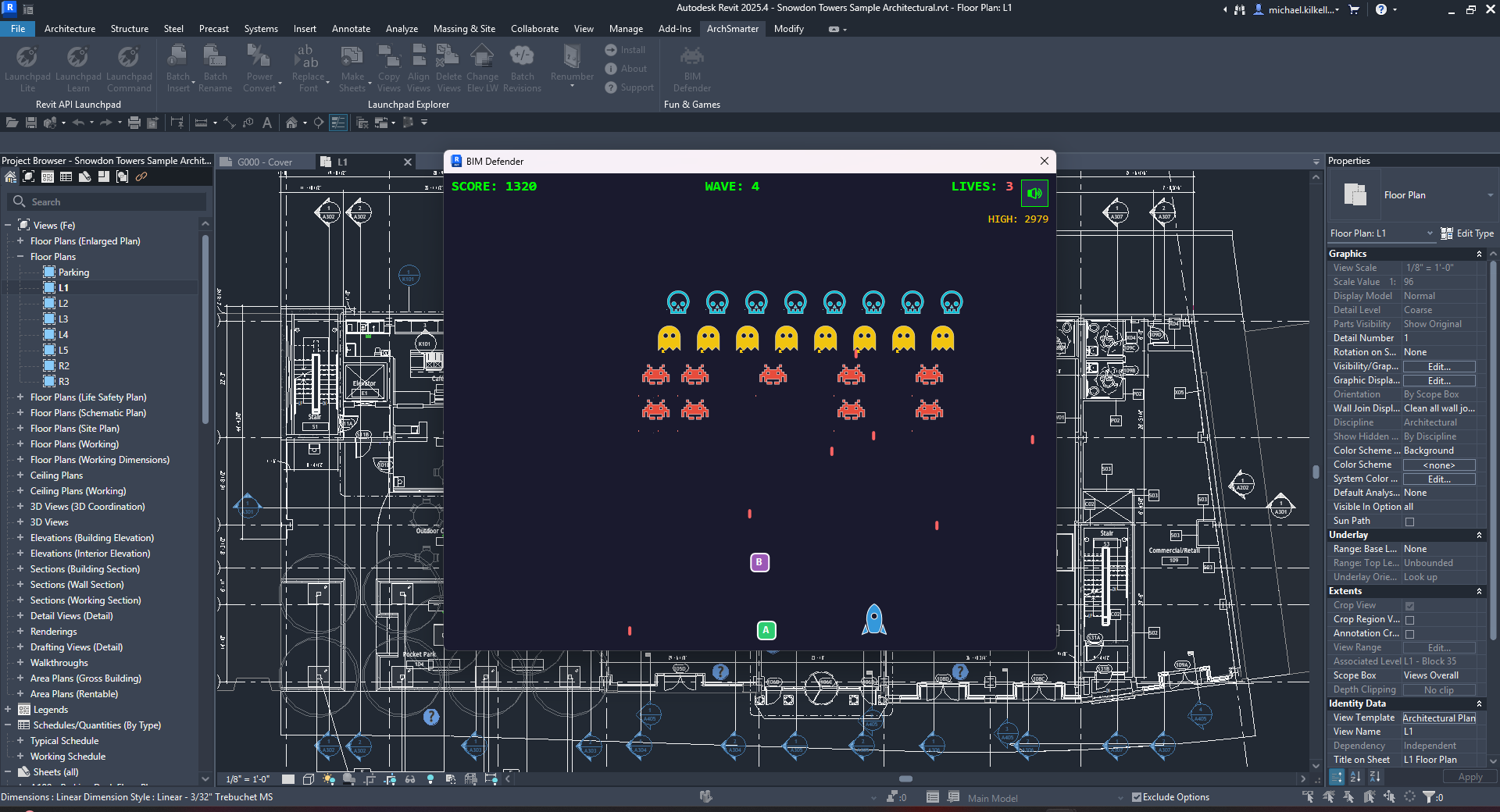
Is it going to win any game design awards? No. Is it fun to blast exploded imports while pretending you’re doing real work? Absolutely.
What AI Did (And Didn’t Do)
Let me be clear about something: AI didn’t come up with this idea. I did.
AI didn’t decide to make the enemies BIM nightmares. It didn’t come up with “Purge All” as a power-up name. It didn’t know that a screen shake on hit would feel satisfying.
That’s the creative part. That’s still human.
What AI did was remove the tax on that creativity and the time it would take to type all the code by hand.
I didn’t have to remember the exact syntax for WPF animations. I didn’t have to look up how to implement a game loop with DispatcherTimer. I didn’t have to debug collision detection math for an hour.
I described what I wanted. AI wrote the first draft. I refined it. We iterated. And in 4 hours, I had something that would’ve taken me a week to build by hand.
That’s the unlock. AI doesn’t replace your ideas—it makes it possible to actually build them.
The Takeaway
A year ago, BIM Defender wouldn’t have existed. Not because I couldn’t build it, but because I couldn’t justify building it. Too much time for too little payoff.
AI changed that equation.
Now I find myself asking “why not?” more often. Got a dumb idea? Try it. Got a tool that would help three people? Build it. Got a game that would make BIM managers laugh? Ship it.
The friction is gone. The only question left is: what do you want to make?
Play It Yourself
The BIM Defender source code is available on GitHub. If you want the compiled installer without building it yourself, click the link below.
Click here to download the BIM Defender installer (supports Revit versions 2022 through 2026)
Get the Thursday Top 5
My weekly email with five interesting and useful links on BIM, design, and technology, plus a few laughs along the way. I send it every Thursday. Join the over 8,000 AEC professionals who already get it.
