
Back in 2016, I gave a presentation at RTC NA in Scottsdale called "Code vs Node: The Ultimate Revit Automation Smackdown." The premise was simple: pit Dynamo against Revit macros in a head-to-head competition across a series of automation challenges, and let the audience vote for a winner.
Spoiler alert: Dynamo won. But not because it was more powerful. Macros could do everything that Dynamo could. Dynamo won because it was easier to learn. The learning curve for macros and C# was steep enough that most Revit users couldn't justify the time investment required to get proficient.

But here's the thing. Even back then, the real answer was "it depends." Depends on what you're trying to automate. Depends on whether you need to share your solution. Depends on where you want to take your skills. Dynamo was the right starting point for most people, but it wasn't the right ending point for everyone.
That was nearly a decade ago. A lot has changed since then!
Last week, I came across an article by Jay Merlan titled "Is Dynamo Dead?" He argues that AI has made writing C# so easy that visual scripting no longer makes sense. Describe what you want in plain English, paste the code, and run it.
He's not wrong about AI changing the equation. But the full picture is more nuanced than "Dynamo is dead." The same factors that mattered in 2016 still matter today. What's changed is how much weight each one carries.
Where Dynamo Still Wins
Dynamo has one advantage that code can't easily replicate: you can see what you're building as you build it.
When you're exploring a complex geometric relationship, say, prototyping a parametric facade and testing how a curtain wall panel behaves at different angles, Dynamo's preview geometry updates in real time in Revit. Adjust a slider, see the result. That feedback loop is tight. In code, you're compiling, running, checking, tweaking, running again. It's slower and more abstract.
I learned this firsthand. A while back, I wrote a Launchpad script that generates a twisting tower, complete with a user interface with sliders and controls. It works. But every time I adjust a parameter, I have to run the script and wait to see what changed. There's no live preview. For that kind of geometric exploration, Dynamo would have been the better choice.
Dynamo also makes sense for genuine one-offs. If you need to solve a problem once and never touch it again, wiring up some nodes might be faster than writing a proper script. Get your answer, move on, don't overthink it.
And for someone who doesn't write code and needs something working by the end of the day? Dynamo is still accessible. The ceiling is lower, but the barrier to entry is too.
Where Code Pulls Ahead
The math shifts when you're building something you'll use more than once.
A Dynamo graph with fifty nodes, three custom packages, and list lacing that made sense when you built it six months ago? Good luck handing that off to a colleague. Or remembering what you were thinking when you open it next year. Code, especially well-commented code, is easier to maintain, version control, and share.
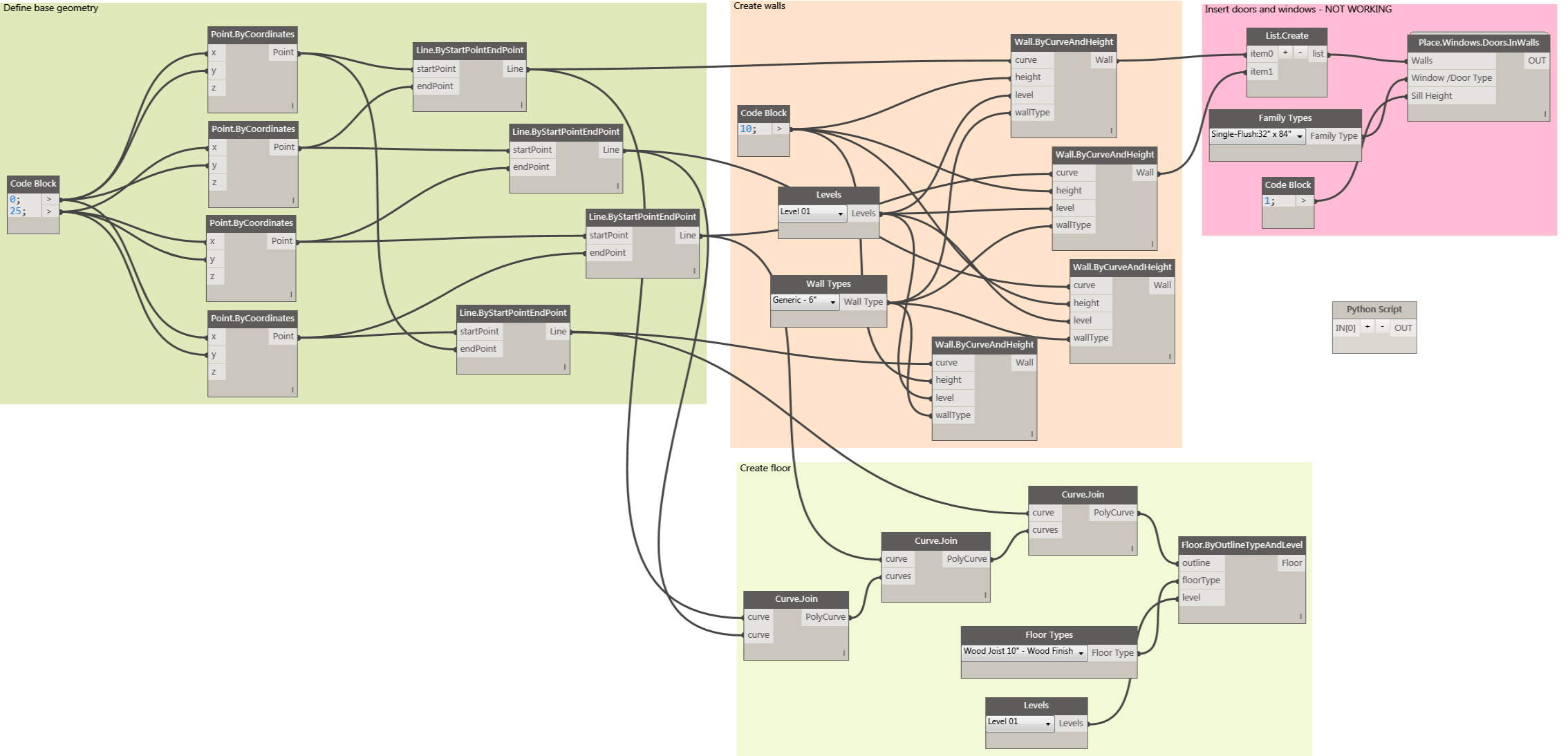
Complex logic gets ugly fast in Dynamo. Once you're dealing with multiple conditionals within nested lists, Dynamo starts to resemble a big bowl of spaghetti. I've seen graphs that look like someone threw a whole pasta dinner at the screen. Yuck! Code handles that complexity MUCH more cleanly.
Anything touching Revit documentation, I’m talking sheets, views, schedules, parameters, tends to be more straightforward with code. You're not hunting for the right node or hoping a package is still maintained. You can leverage native API calls to get it done.
And here's the kicker: code gives you somewhere to go. A working Launchpad script or macro is a good step toward a proper add-in with a ribbon button your whole team can use. Dynamo scripts don't have that upgrade path.
What Changed Since 2016
So why is the “Code vs Node” argument resurfacing now? Two things happened that shifted this whole conversation.
First, Autodesk changed Revit's macro environment in 2025. They removed SharpDevelop (the built-in IDE that made macros so approachable) and eliminated document-level macros. I recorded a video about it last year titled "Are Revit Macros Dead?" and my conclusion was yes, sadly, they are. The two best things about macros (not needing extra software and being able to embed them in an RVT file for easy sharing) are both gone in Revit 2025 and up.
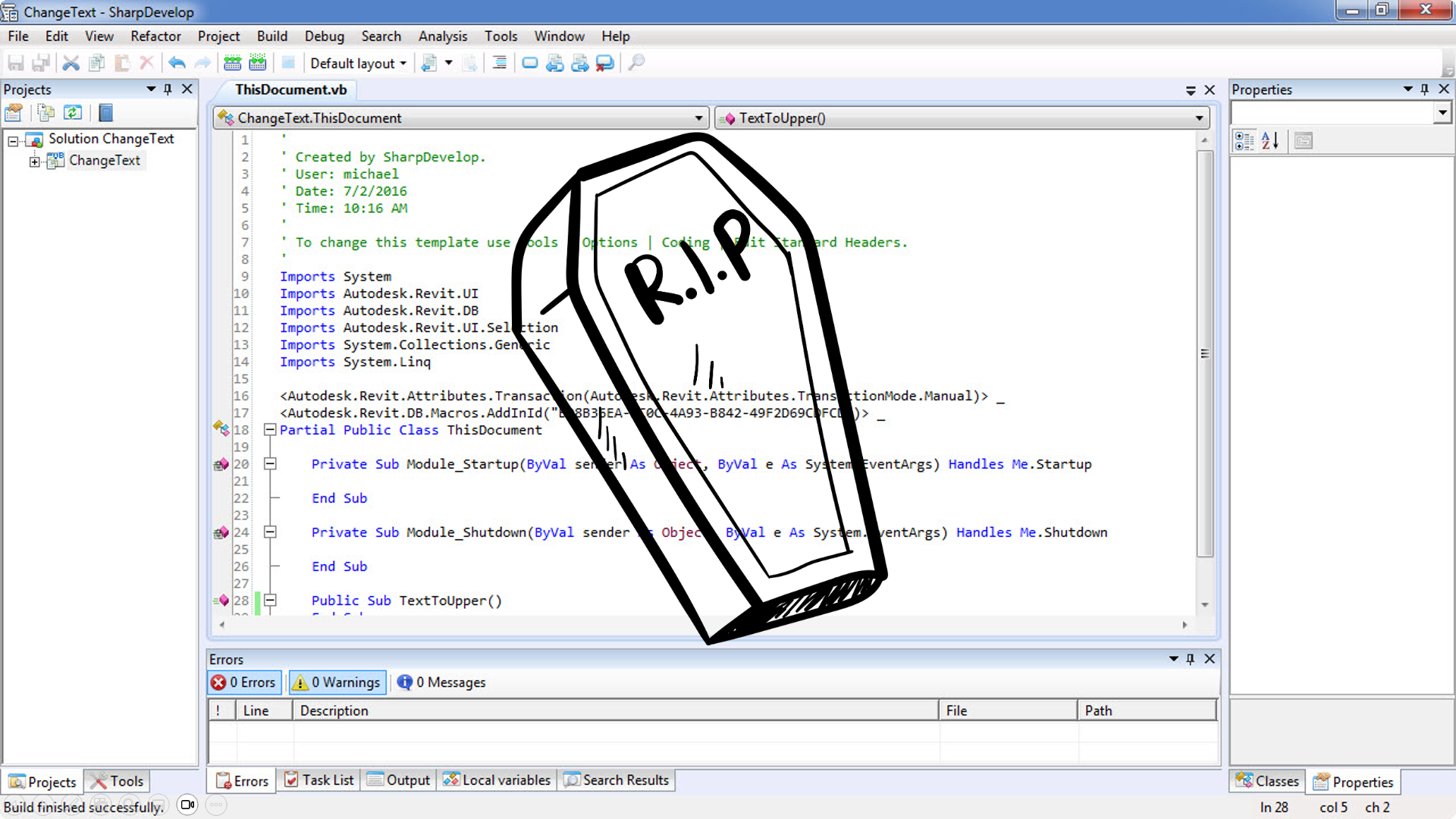
Second, AI got good at writing code. Really good.
The old argument against learning C# was always the time investment. In 2016, I told my audience that both Dynamo and macros were "complex programs with complex skill sets you need to develop." That was true. Learning C# took months of sustained effort before you could do anything useful.
AI has rewritten that math. You can describe what you want in plain English, get working code back, and iterate from there. Some people are calling it vibe coding. You're directing the AI toward a solution rather than writing every line yourself.
It's not magic. You still need to understand what you're asking for. You still need to test the results and catch when the AI makes mistakes and when something compiles but doesn't do what you wanted. But the barrier is dramatically lower than it was even two years ago.
I recently built a small game called BIM Defender, basically Space Invaders running inside Revit. I didn't write most of the code myself. Instead, I described what I wanted, refined the output, and ended up with something that actually works. It would have taken me significantly longer the traditional “hand-coded” way.
Where Do You Write the Code?
This is where Jay's article and my take diverge slightly. He's focused on macros. And macros do still work. You can absolutely use AI to generate macro code and run it in Revit 2025 and up. But the sharing problem remains. Application macros live in your Revit profile, not in a file you can hand to someone else. If you want to distribute what you've built, you're now looking at a more complicated workflow.
You have a few options:
Macros still work for personal productivity. If you're building something just for yourself and don't need to share it, they're fine. The AI-assisted workflow Jay describes is legitimate. Just know the limitations.
Visual Studio gives you full power. You can build proper add-ins, create installers, and distribute to your whole office. But it's another piece of software to learn, another environment to configure. There's friction. If you want to go this route, my Revit Add-in Academy walks you through the entire process step by step.
Launchpad (and yes, this is something I built) sits in the middle. It's a C# scripting environment that runs inside Revit, designed specifically for the kind of AI-assisted workflow we're talking about. You can paste in AI-generated code, test it immediately, and iterate without the overhead of a full IDE. When you're ready to turn something into a real add-in, the code translates directly. You can learn more about Launchpad here.
The Actual Answer
The question isn't which tool is better. It's selecting the tool that fits the problem in front of you right now.
Exploring geometry and need visual feedback? Dynamo. Building something repeatable that might become a real tool someday? Code, especially now that AI can help you get there faster. Need to share what you've built with your team? Think about where that code lives and how you'll distribute it.
Knowing your options beats ideology. It did in 2016, and it still does today.
For the curious, I've uploaded the original Code vs Node presentation from 2016. And if you want to see what Autodesk did to macros in 2025, here's the video: Are Revit Macros Dead?
Get the Thursday Top 5
My weekly email with five interesting and useful links on BIM, design, and technology, plus a few laughs along the way. I send it every Thursday. Join the over 8,000 AEC professionals who already get it.